
Test augmented reality right now
The fastest way to test augmented reality is a working example. Scan the QR code below, point your camera at the demo picture — and watch it come alive. No app, no signup.
Quick answer
This page is a working augmented reality test that runs online, in your browser. Scan the QR code with your phone, allow camera access in the browser, and point the camera at the demo photo on the screen — a video will play right on top of it. This is exactly what your printed photos, albums and cards will do with Stories AR.

Try WebAR right now — animate this photo
This is a real AR experience made with Stories AR. Open it on your phone and point the camera at the photo — it will come to life.
- 1Open the demo on your phone
- 2Allow camera access
- 3Point at the photo — it comes alive

or scan with your phone camera
Opens in the browser · No app needed
How to run the demo
- Open the camera on your phone and scan the QR code in the demo block above.
- Your browser will open — allow camera access (nothing is recorded).
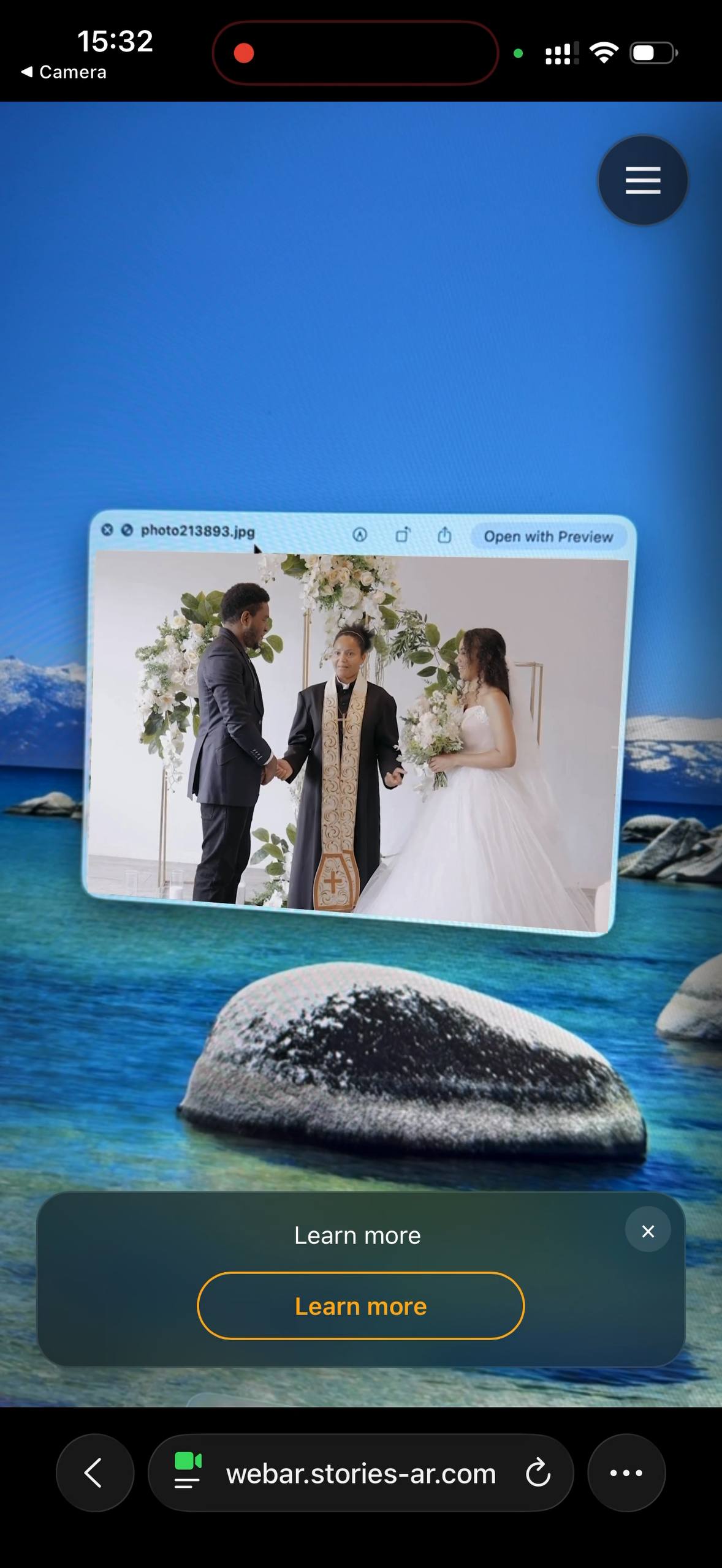
- Point the camera at the demo photo on your computer screen or on another phone.
- Watch the photo come alive: the video plays anchored to the picture.
If you're already reading this on your phone, open the demo link and point the camera at the photo on any other screen. The augmented reality test works on any modern iPhone or Android — nothing to install.
What you just experienced
That was WebAR image tracking: the browser recognised the photo and rendered a video precisely on top of it, following the picture as you moved the phone. No app was installed and nothing was special about the "print" — any photo can work this way, on paper as well as on screens.
The same flow powers living photos, AR albums, AR business cards and event posters. How the recognition works under the hood: AR trigger images.
Make your own in a minute
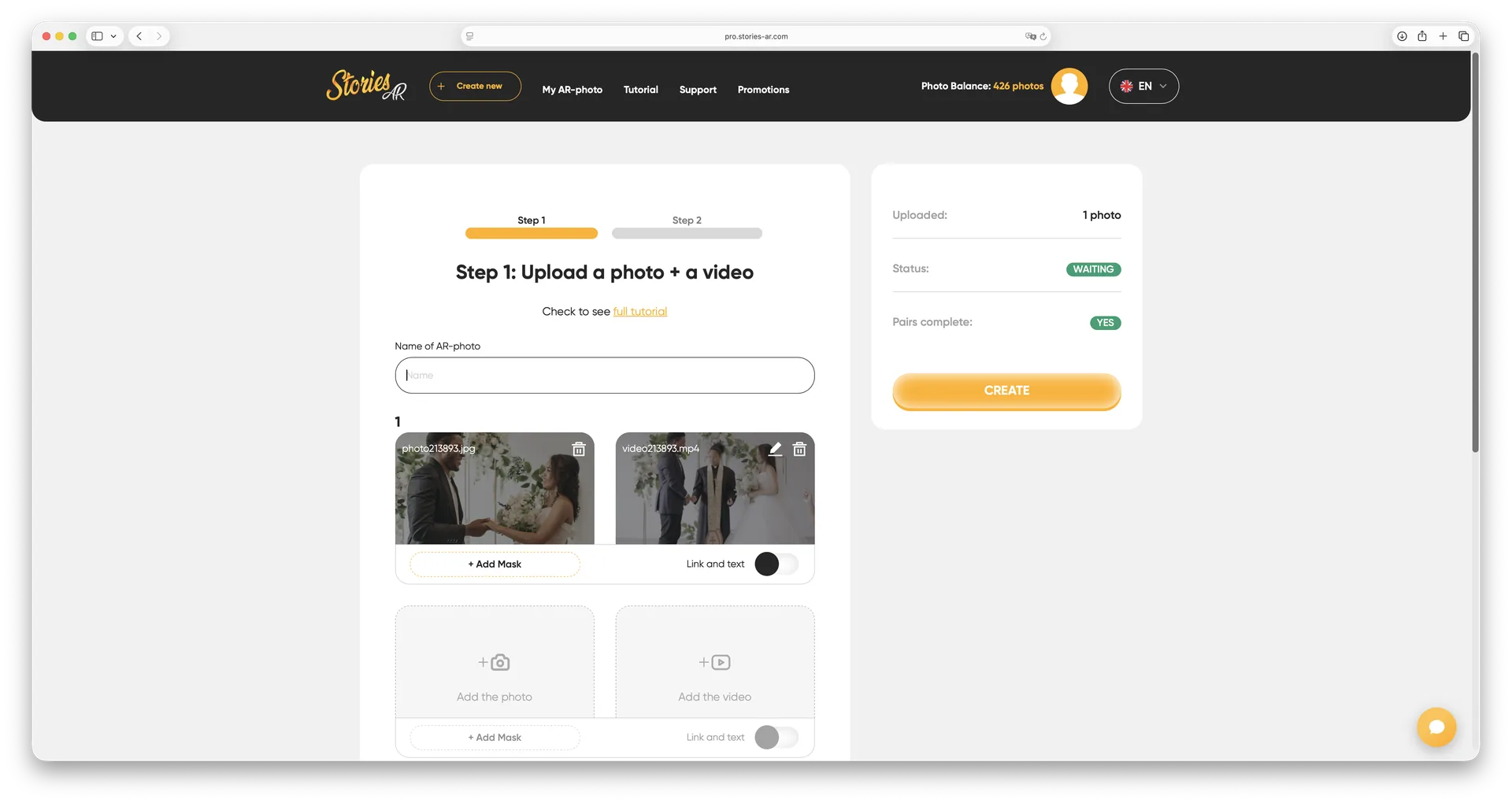
Sign up at pro.stories-ar.com, upload a photo and a video — you'll get the same kind of link and QR code for your own picture. The free tier is enough to make your first AR photos; the PRO plan ($24/mo billed yearly) includes 20 AR photos monthly for photographers and businesses.
Frequently asked questions
The video doesn't start — what should I check?+
Make sure you allowed camera access in the browser, the demo photo is well-lit and fully visible in the frame, and you're using Safari (iOS) or Chrome (Android).
Does the demo work from a computer screen?+
Yes — recognition works on both printed photos and photos displayed on screens.
Is anything recorded when I allow camera access?+
No. The camera feed is processed locally in your browser for recognition only — nothing is uploaded or stored.
Will it work the same on a printed photo?+
Yes, exactly the same — print is actually the primary use case: albums, magnets, cards and posters.
Make your product spark emotions
Stories AR turns flat photos into living moments people gasp at, film and share. Give your customers that reaction.