
Living photos: prints that play video
Point a phone camera at a printed photo and a video plays right on top of it. No app, no QR code on the print itself — it works in the browser via WebAR.
Quick answer
A living photo is a regular printed photograph linked to a video through augmented reality. A smartphone camera recognises the print and plays the video directly over it. With Stories AR it takes about a minute: upload a photo and a video — the service returns a link and a QR code for scanning.

Try WebAR right now — animate this photo
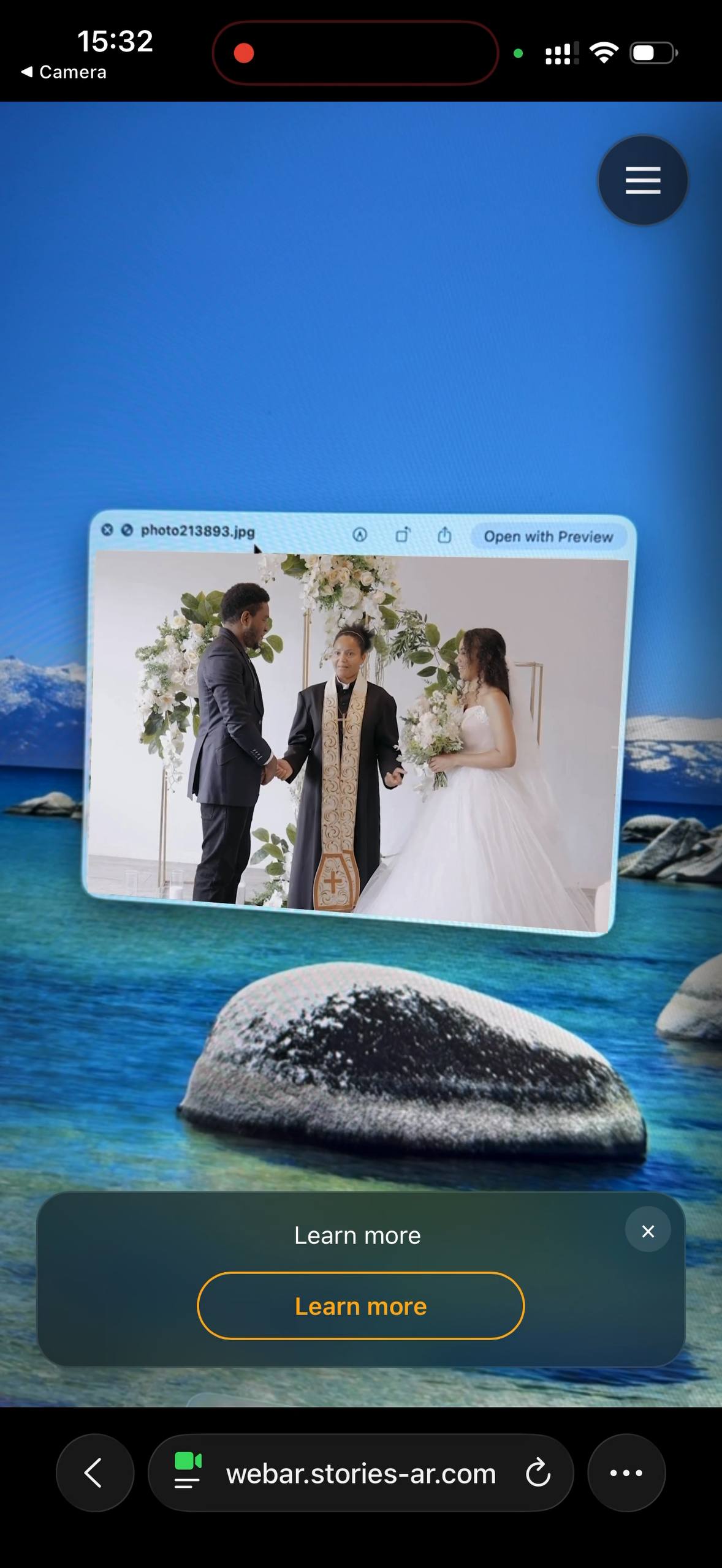
This is a real AR experience made with Stories AR. Open it on your phone and point the camera at the photo — it will come to life.
- 1Open the demo on your phone
- 2Allow camera access
- 3Point at the photo — it comes alive

or scan with your phone camera
Opens in the browser · No app needed
How a living photo works
The technology is built on image recognition: the service "memorises" the unique details of your picture and links them to a video file. When a smartphone camera sees the printed photo, the WebAR engine running in the browser finds the match and overlays the video precisely on the print — the photo comes alive in your hands.
This used to require a dedicated app. Today everything runs in the browser: a wedding guest or postcard recipient simply scans a QR code next to the photo, allows camera access — and watches the video. For a deeper technical dive, read AR photography explained.
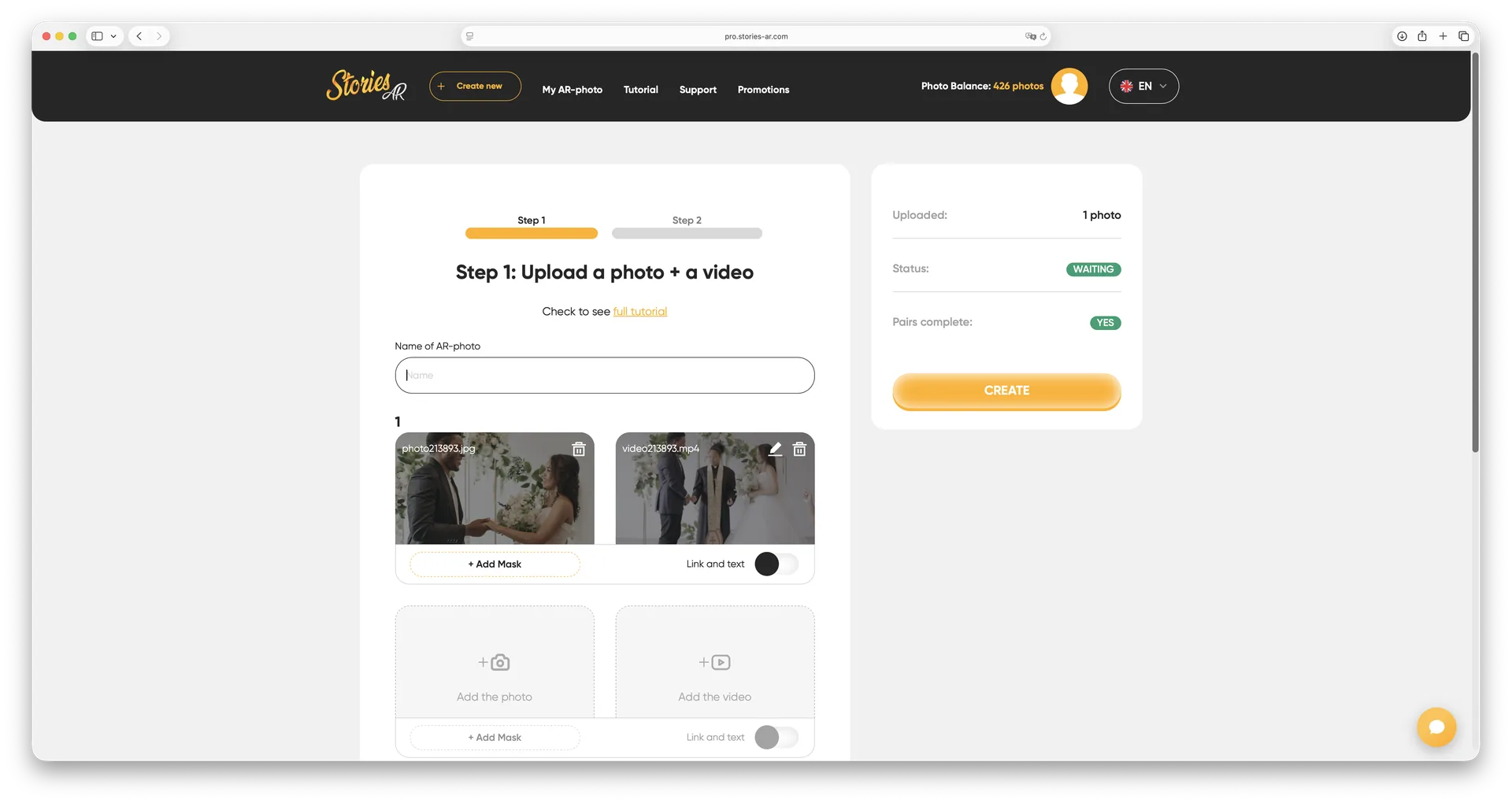
How to make a living photo in one minute
- Sign up at pro.stories-ar.com — there is a free start.
- Upload the photo you are going to print and the video for it.
- The service links them and gives you a link + QR code.
- Print the photo as usual — in an album, on a magnet, postcard or canvas.
See also: how to create AR without an app.
Who uses living photos
The biggest group is photographers who sell living albums, magnets and portraits as an add-on to their shoots: weddings, graduations, family sessions. The video from the shoot turns an ordinary print into an emotional keepsake clients happily pay extra for — see how photographers make money with AR.
Businesses use the same technology for AR business cards, packaging, menus and posters that play a video pitch. And families bring old archive prints back to life as personal gifts.
Living photos vs AI photo animation
AI tools (Deep Nostalgia and similar) generate facial movement from the picture itself. Stories AR is different: it plays your real video on top of the printed photo. Not a synthetic animation — a real moment: the first dance, a child's laugh, a recorded greeting.
That's why professional photographers choose living photos: video quality stays fully under their control, and printing stays completely ordinary — no special printers or inks required.
Frequently asked questions
Do viewers need to install an app?+
No. Stories AR works via WebAR — the video opens right in the smartphone browser after scanning a QR code. No app is needed for the creator or the viewer.
Which photos can be brought to life?+
Almost any printed photo with enough detail: portraits, wedding shots, kids' photos, album covers. Very dark or plain images are recognised less reliably.
How long does a living photo work?+
As long as your subscription is active, the photo-to-video link is stored on Stories AR servers and works with unlimited scans.
Can I try it for free?+
Yes — Stories AR has a free tier for your first AR photos, enough to test the technology before subscribing.
Make your product spark emotions
Stories AR turns flat photos into living moments people gasp at, film and share. Give your customers that reaction.