
WebAR: augmented reality that runs in the browser
Stories AR is a WebAR platform for photographers and print businesses: link any printed photo to a video, and the phone camera plays it in the browser — no app, no coding.
Quick answer
WebAR is augmented reality that works directly in a mobile browser — no app download needed. Stories AR uses WebAR to turn printed photos into video players: upload a photo and a video, get a QR code, and anyone who scans it sees the video playing on top of the print. 65,000+ photographers use it to sell living albums, magnets and cards.

Try WebAR right now — animate this photo
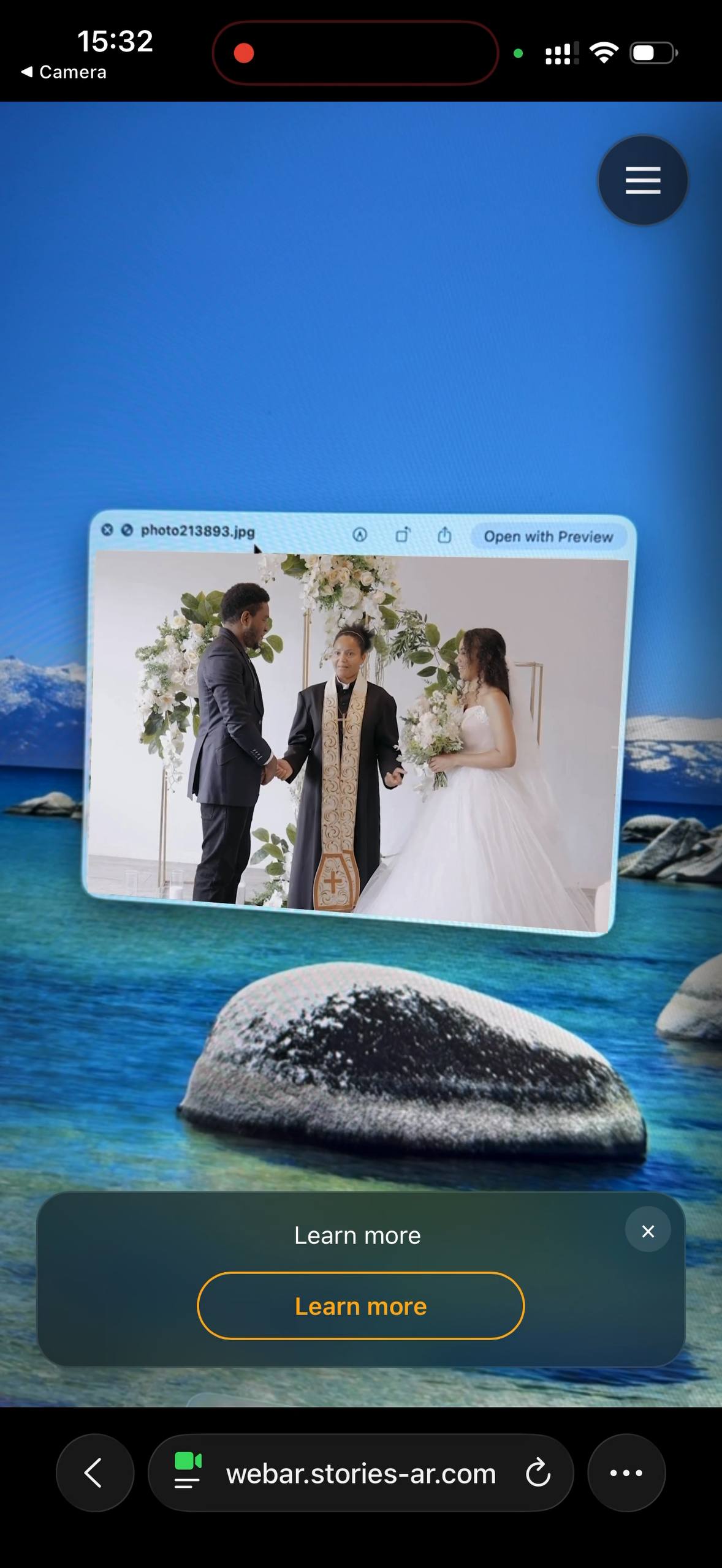
This is a real AR experience made with Stories AR. Open it on your phone and point the camera at the photo — it will come to life.
- 1Open the demo on your phone
- 2Allow camera access
- 3Point at the photo — it comes alive

or scan with your phone camera
Opens in the browser · No app needed
What is WebAR and why it beats app-based AR
Traditional AR requires the viewer to download an app — and every extra step loses up to half the audience. WebAR removes that barrier: the AR experience runs on web technologies (WebGL, WebRTC, camera API) directly in Safari or Chrome. Scan a QR code, allow camera access, done.
For printed products this is decisive: a wedding guest or a client's grandmother will scan a code, but will not install an app for one photo. That's why Stories AR moved fully to WebAR — read the story in living photos without an app.
What Stories AR's WebAR does
- Image tracking: the camera recognises your printed photo and anchors the video to it — the video sticks to the print as you move the phone.
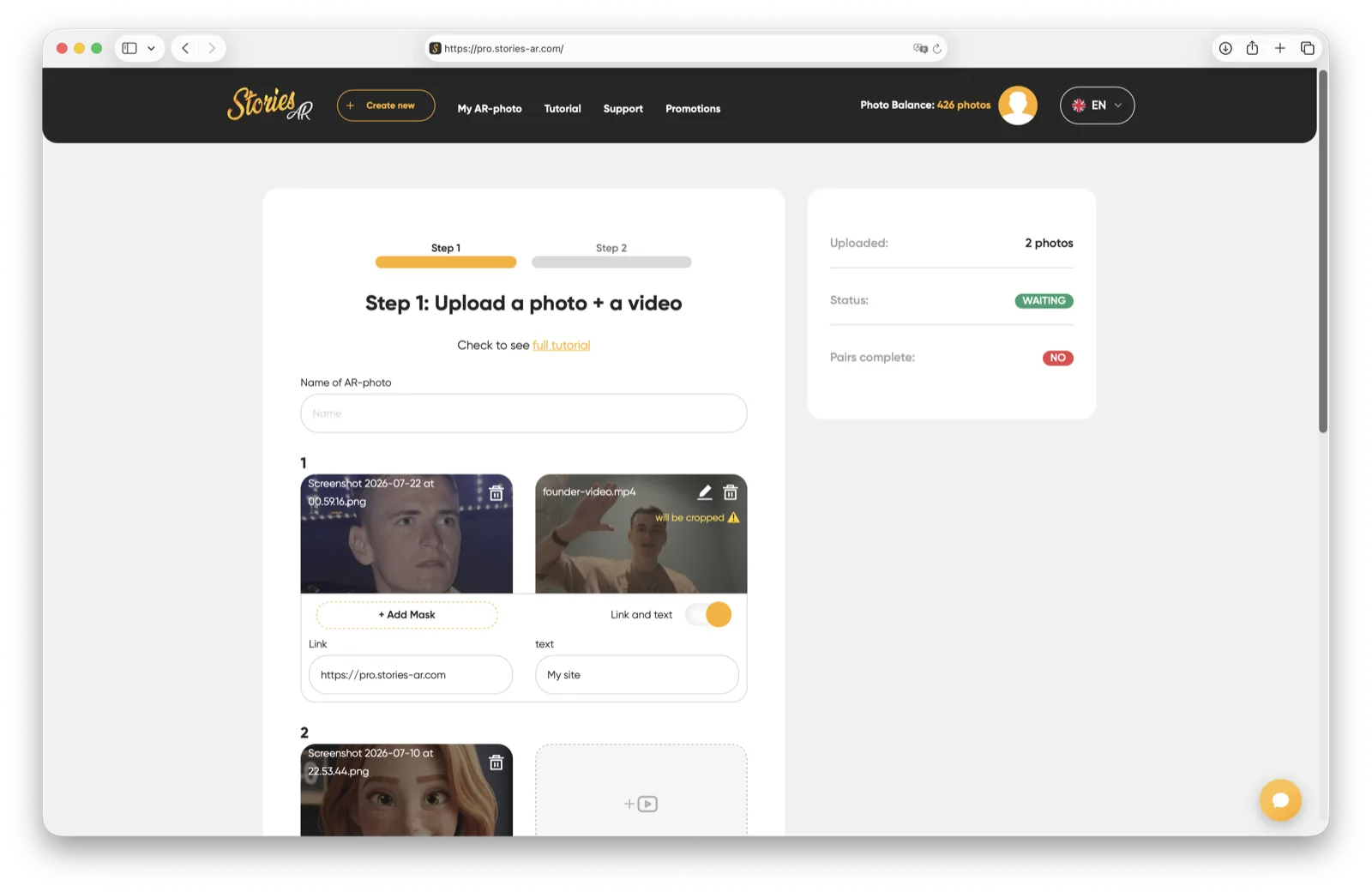
- No code: upload photo + video in the dashboard, get a link and QR code. No 3D, no SDKs, no developers.
- Unlimited scans: one AR photo can be scanned by any number of viewers.
- Video swap: replace the video anytime without reprinting.
Want to build an AR experience step by step? See how to create AR.

Who WebAR is for
Photographers sell living photo products as an upsell — albums, magnets, portraits that play video from the shoot (how they earn). Print studios and photo labs add AR as a premium option to every order. Businesses use it for AR business cards, packaging and posters.
Unlike developer platforms (8th Wall, Zappar), Stories AR is a finished product: no coding, flat subscription, built specifically for photo-to-video AR. If you're migrating from a developer platform, see 8th Wall alternative.
How to start
Create an account at pro.stories-ar.com — the free tier lets you make your first AR photos in about a minute. The PRO plan ($24/mo billed yearly) includes 20 AR photos per month, white-label options and priority support.
Frequently asked questions
Does WebAR work on all phones?+
Yes — any modern iPhone (Safari) or Android phone (Chrome) with a camera. No app installation is required.
Do I need to know how to code?+
No. Stories AR is a no-code product: you upload a photo and a video, and the platform handles recognition, hosting and playback.
How is Stories AR different from 8th Wall or Zappar?+
Those are developer SDKs where you build AR experiences yourself. Stories AR is a ready product focused on one job — making printed photos play video — with a flat subscription instead of per-project developer pricing.
Can I put my own branding on the AR experience?+
Yes, PRO and white-label plans let you use your own logo and colors in the viewer.
Make your product spark emotions
Stories AR turns flat photos into living moments people gasp at, film and share. Give your customers that reaction.