
Live photo prints: what they are and how to make one
Not Apple's Live Photo. A live photo print is a physical photograph that plays a full-length video when a camera is pointed at it — in the browser, no app.
Quick answer
"Live photo" means two different things. Apple's Live Photo is a digital format — a still frame plus three seconds of motion that never leaves your phone screen. A live photo print is a physical printed photograph linked to a full video through augmented reality: scan the QR code, point the camera at the print, and the video plays over it in the browser. This page is about the print — the product photographers sell with albums, magnets and portraits.

Try WebAR right now — animate this photo
This is a real AR experience made with Stories AR. Open it on your phone and point the camera at the photo — it will come to life.
- 1Open the demo on your phone
- 2Allow camera access
- 3Point at the photo — it comes alive

or scan with your phone camera
Opens in the browser · No app needed
Live photo print ≠ iPhone Live Photo
The term "live photo" means two different things. Apple's Live Photo is a digital format — a still frame plus three seconds of motion that exists only on your phone screen. A live photo print is a physical photograph that comes alive when you point a camera at it: a full-length video plays over the print.
Stories AR does the latter: your printed albums, magnets, postcards and portraits start playing video. The print itself stays completely ordinary — the magic happens in the smartphone browser via WebAR.
How to make a live photo print
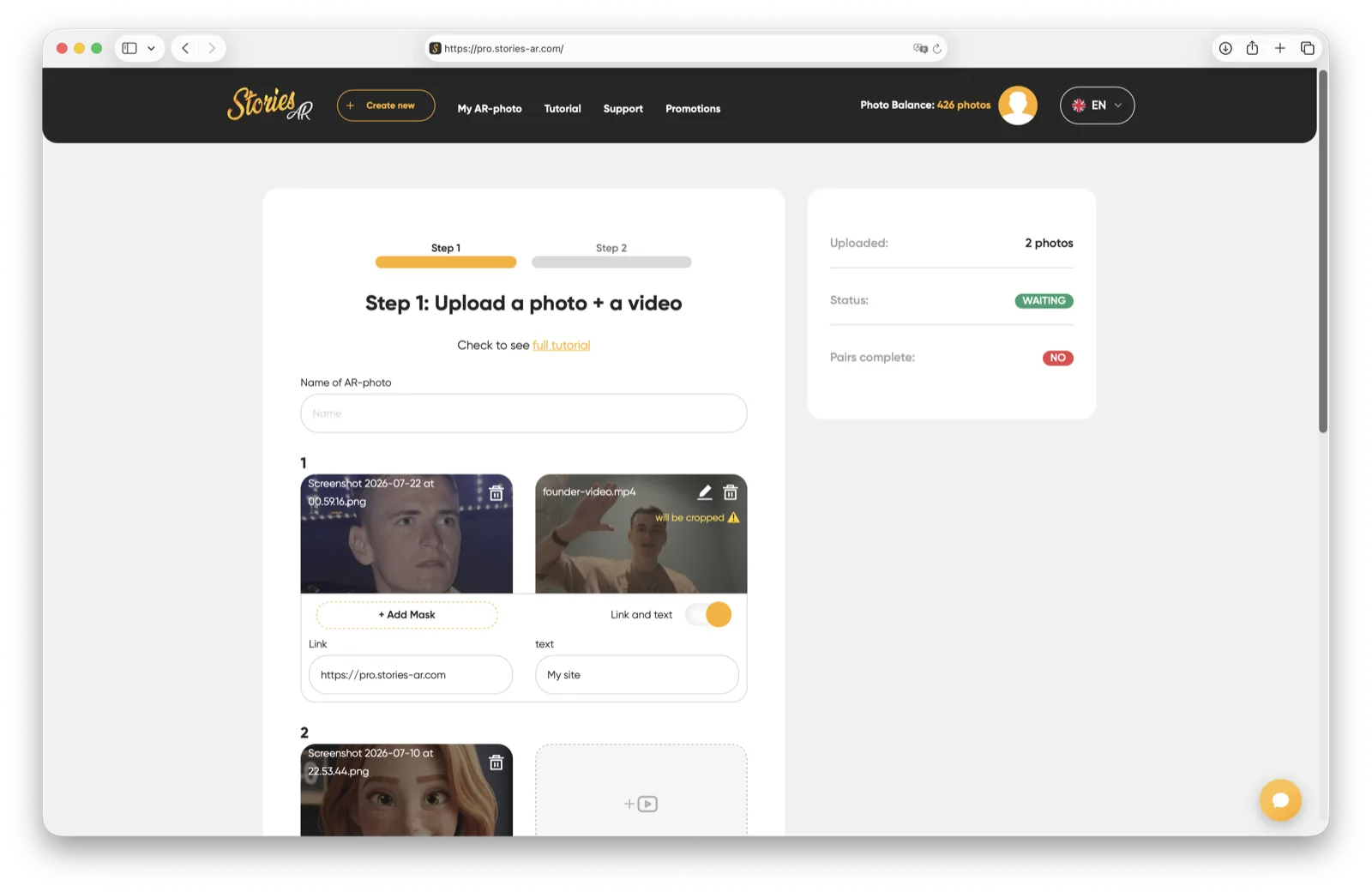
- Open pro.stories-ar.com and create an account.
- Upload the photo (the one you'll print) and the video.
- Get a link and a QR code — place the code on the back of the photo, the packaging, or next to it in the album.
- Done: scanning the code opens the camera in the browser and the photo comes alive.
More detail in how to create AR without an app.
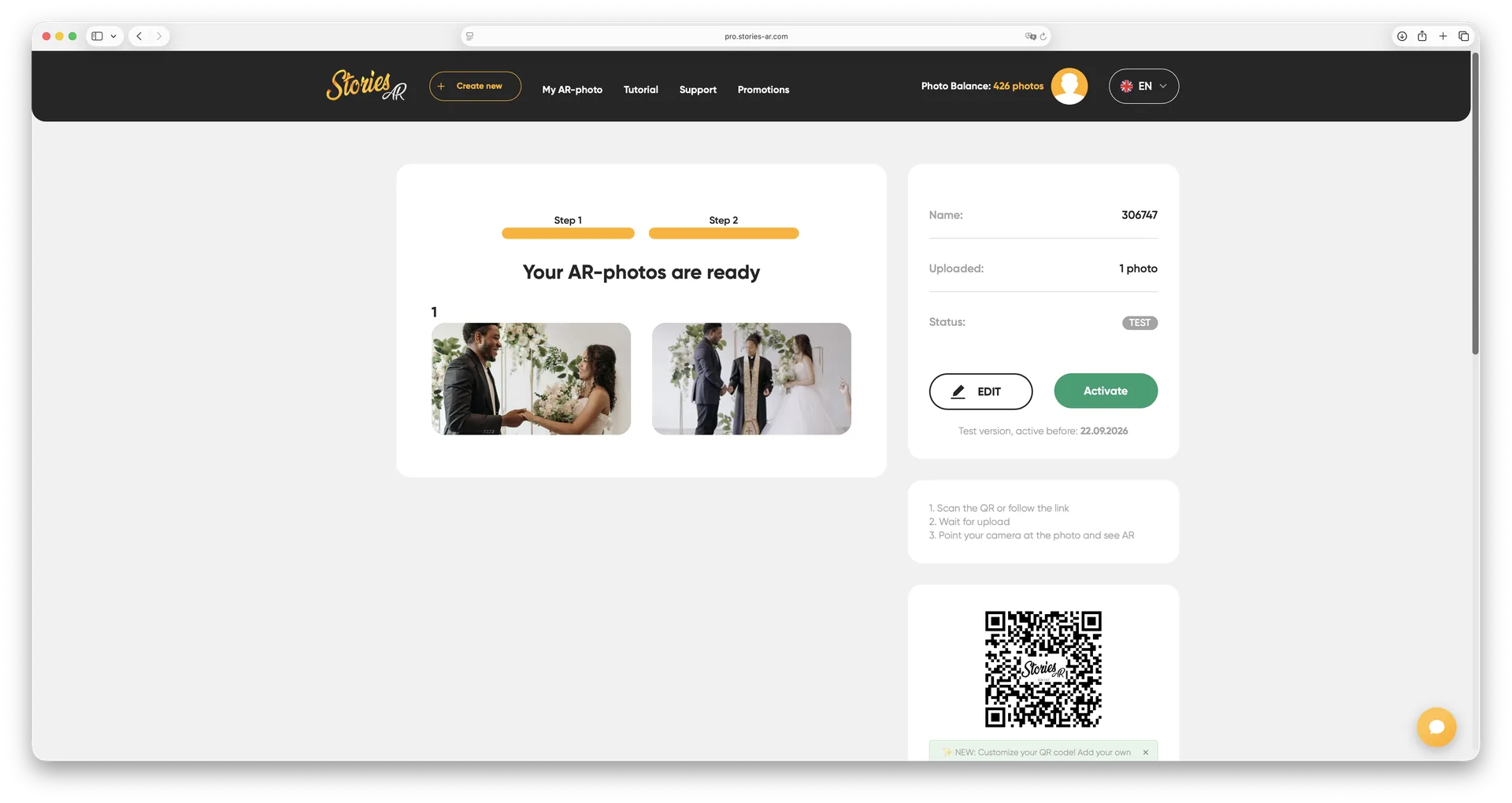
What you can turn into a live photo
Any printed product with a photo on it: wedding albums, graduation books, magnets, postcards, canvases, calendars, keychains and business cards. Photographers sell live photos as an upsell to every shoot — the client gets not just a print but an emotion they can replay. See how photographers earn with AR.
The video can be anything: backstage footage, a greeting, the first dance, a child's laugh. One photo — one video, and you can swap the video anytime without reprinting.
How much it costs
You can start for free — the basic Stories AR tier lets you create your first live photos at no cost. The PRO plan for photographers is $24/month billed yearly and includes 20 AR photos per month — enough for several shoots with live album and magnet upsells.
Curious what that adds up to? Try the photographer earnings calculator.
Frequently asked questions
How is this different from an iPhone Live Photo?+
Apple's Live Photo is a digital format that lives on your screen. A live AR photo is a physical print that plays a video when a smartphone camera is pointed at it.
Do I need a special app?+
No. Stories AR runs in the browser (WebAR): the viewer scans a QR code, allows camera access, and points the camera at the photo.
What video can I attach to a photo?+
Any video of yours: backstage footage, a greeting, a highlight clip. You can replace the video anytime in your dashboard — no reprinting needed.
Does it work on both Android and iPhone?+
Yes — any modern smartphone with a camera and a browser, iOS or Android.
Make your product spark emotions
Stories AR turns flat photos into living moments people gasp at, film and share. Give your customers that reaction.