Packaging That Plays Video: A Small-Brand Guide
Stories AR team
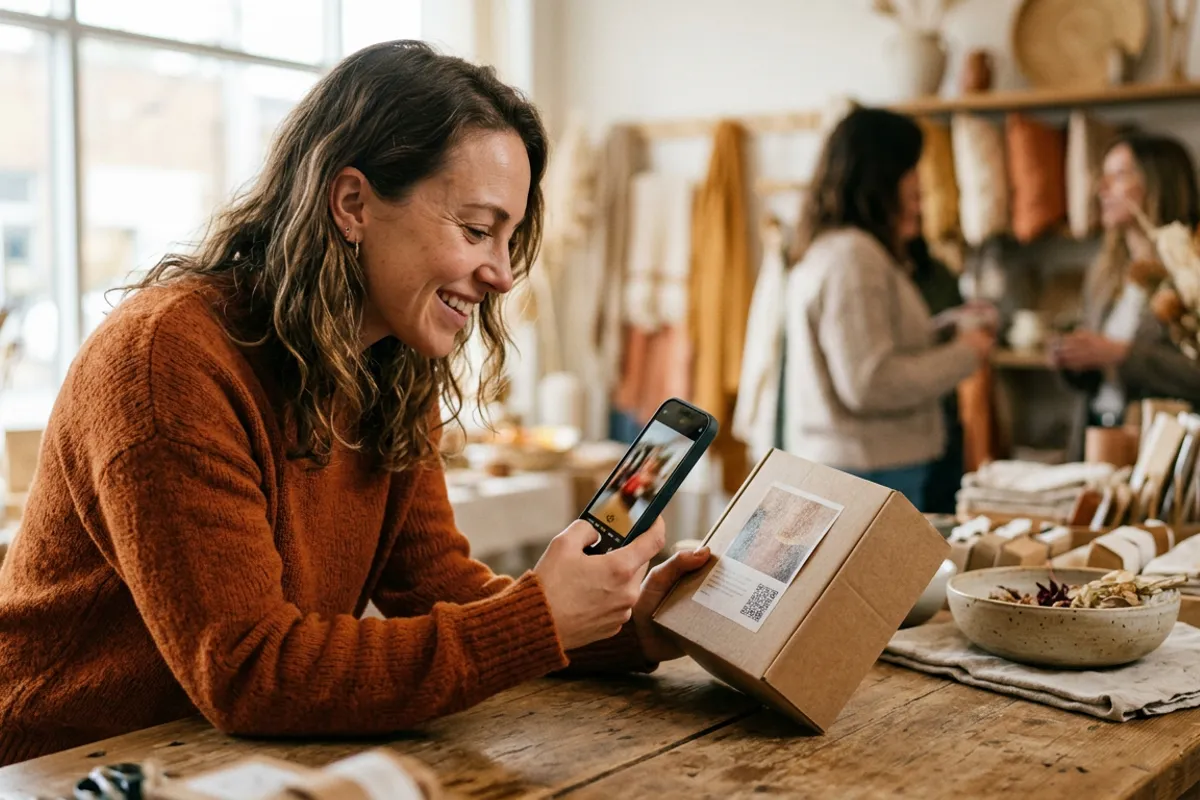
Packaging is the one marketing surface every customer is guaranteed to hold in their hands. For a small brand, it can do more than list ingredients: a label or box illustration can play a video — the founder telling the story behind the product, or a 30-second how-to. No app, no custom development: a QR code opens the browser camera, the customer points it at the pack, and the video plays anchored to the design. Here is how it works and, just as important, when it doesn't.
Quick answer
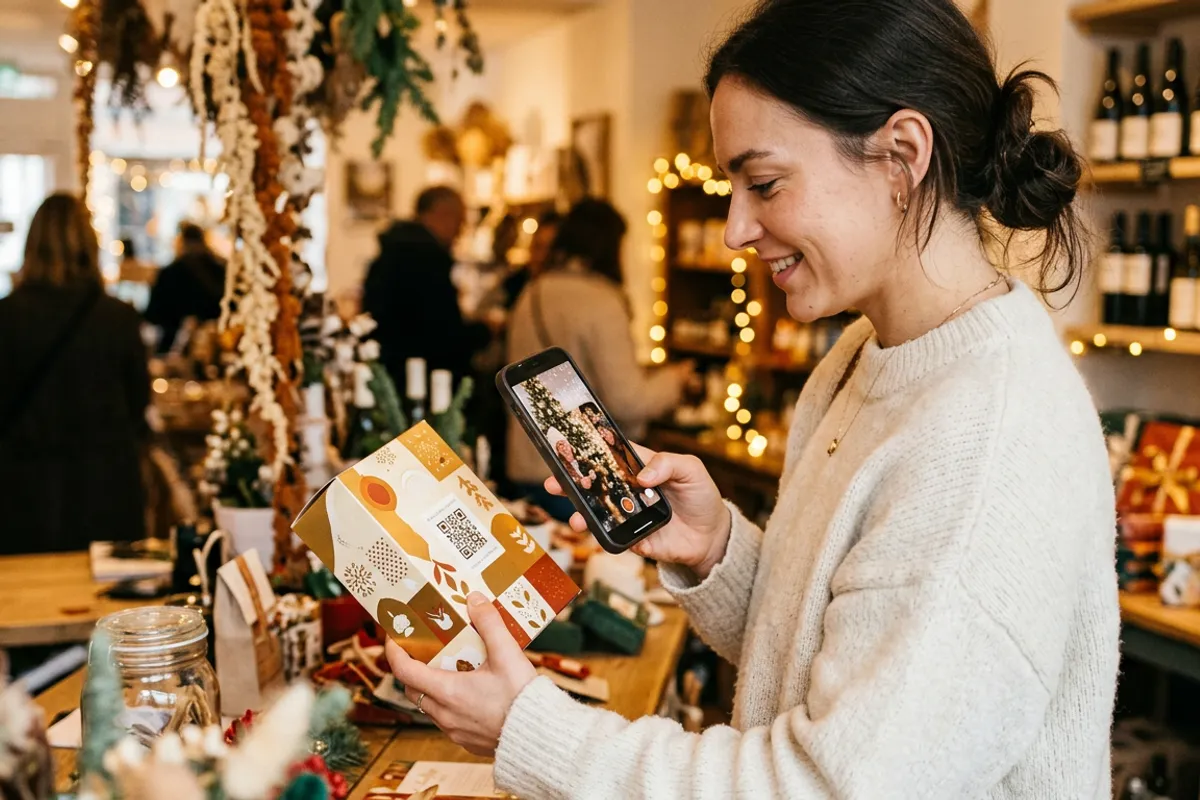
With WebAR, a product label or box becomes a video trigger: the customer scans a QR code on the pack, the browser opens the camera, and pointing it at the packaging plays a video — a founder story, a how-to, a recipe. It works in Safari and Chrome with no app. Setup on Stories AR is uploading a photo of the pack design plus the video; the first AR photos are free and the video can be swapped anytime without reprinting packaging.
Key takeaways
- The customer path is QR scan → browser camera → point at the pack → video plays; no app install.
- Best-fit content: founder story, how-to-use, recipe or brewing guide, behind-the-scenes production.
- Detailed illustrated packaging works as a trigger; flat minimal designs don't — then the QR alone carries the video.
- The video is replaceable without touching printed stock — one label design can run seasonal campaigns.
- Costs stay small-brand friendly: first AR photos free, PRO at $24/month with 20 AR photos.
What AR packaging actually is (and isn't)
The mechanic is image-to-video WebAR: you upload a flat photo of your pack design — the label artwork, the box face — and pair it with a video. Customers scan a QR code that opens the video experience in their browser; the camera recognizes the design and the video plays on top of it, tracking the pack as they move it.
This is not a 3D AR game or a virtual try-on — for world-tracking experiences you'd look at general AR SDKs. For a small brand, that's a feature, not a limitation: photo + video + QR is a production task you finish in an afternoon, not a development project.
The camera feed is processed locally in the customer's browser; nothing is recorded or uploaded — a sentence worth having ready when a customer asks.
What to put in the video
Founder story is the strongest format for small brands. Thirty seconds of the actual maker — in the workshop, at the roaster, at the farm — saying why this product exists converts a commodity purchase into a relationship. It's the story you tell at markets, now attached to every unit on a shelf you'll never stand next to.
How-to content is the practical workhorse: brewing instructions for coffee, care instructions for ceramics or textiles, a recipe using the sauce, assembly for a kit. It reduces support questions and gives the customer a reason to scan at home, after purchase — where repeat-purchase decisions happen.
Because the video is replaceable without reprinting, one label can carry a calendar of content: a harvest update in fall, a gift-recipe before holidays, a new-product teaser in spring. The printed pack never changes; the QR code and trigger stay the same.
When packaging works as a trigger — and when it doesn't
WebAR tracking locks onto visual detail: illustrations, textures, dense typography, photographic labels. If your packaging is a detailed illustrated label — the style most craft brands already use — it will likely work as a trigger exactly as printed.
If your packaging is flat and minimal — a single color field, a small logo, lots of empty space — it will not track reliably, and no platform can honestly promise otherwise. Repeating patterns and mirror-gloss foils are also weak. The full logic of what makes a good target is covered in the AR trigger image guide.
Minimal-design brands still have two good options. Option one: the QR code alone opens the video full-screen in the browser — no tracking needed, same content, still zero app. Option two: dedicate one detailed element (an illustration on the back label, an inner-lid print) as the AR surface while the front stays minimal.
Either way, test before printing a run: upload the actual design, print one sample, scan it. The test costs one free AR photo and ten minutes.
Setting it up step by step
Step one: sign up at pro.stories-ar.com and upload two files — a flat, straight-on photo of the pack design and your video. Step two: in the editor, trim the video and add a call-to-action button on top of the AR view — 'Shop again', 'See all products', 'Follow us' — linking to your store or socials.
Step three: download the QR code and place it in your label layout with a three-word instruction ('Scan — watch it come alive'). Print as usual. That's the whole pipeline; there is no developer in it.
The dashboard shows scan analytics per AR photo, so you learn which products get scanned and whether people watch — real data for a small brand deciding where packaging content pays off.
What it costs a small brand
Pricing fits small-batch economics: the first AR photos are free, which covers a pilot on one product. The PRO plan is $24/month billed yearly and includes 20 AR photos per month — enough for a full product line with room for seasonal variants.
There's no per-scan fee and no per-unit fee: one AR photo covers every printed unit of that design, whether you print 100 labels or 100 000. For brands that grow into wanting the viewer under their own name, white-label plans exist.
Compare that to custom AR development and the build-or-buy answer for a small brand is usually immediate — the label already exists, the video takes an afternoon, and the platform is the price of a few coffees a month.
Pilot AR on one product this week
Upload your label design and a 30-second founder video at pro.stories-ar.com — the first AR photos are free, and a printed sample tells you everything.
Start for freeFrequently asked questions
Do customers need an app to see the video?+
No. The QR code opens the camera in Safari or Chrome, and the video plays right in the browser.
My packaging is minimal — a plain color and a logo. Will it work?+
Not as a tracking trigger — flat designs don't carry enough detail. Use the QR code to open the video full-screen instead, or add one detailed illustrated element as the AR surface.
Can I change the video after the packaging is printed?+
Yes, anytime. The QR code and trigger stay the same, so every unit already on shelves plays the new video immediately.
Does it cost more if I sell more units?+
No. One AR photo covers unlimited scans and unlimited printed copies of that design; you pay per AR photo, not per unit or per scan.