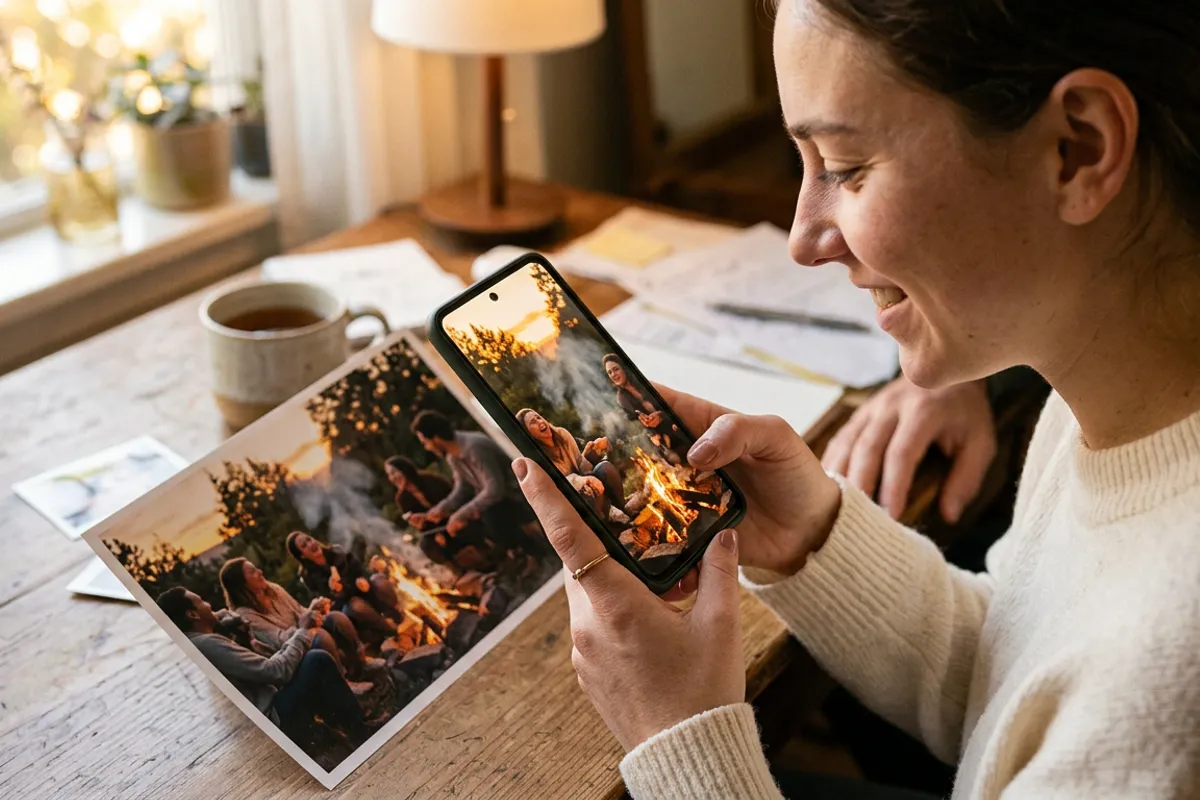
New Year Photo Shoots: How to Upsell Living Photos
Stories AR team

Holiday mini-sessions are a volume game: short slots, one decorated set, dozens of families in a weekend. That volume is exactly why they are the best moment of the year to sell living photos — printed pictures that play a video when a phone is pointed at them. The video material is already happening in front of your camera; the only question is whether you capture it and package it. Here is the mini-session-specific playbook: scenes, pitch, workflow and the math.
Quick answer
During each holiday mini-session, shoot 20–30 seconds of video alongside the stills — sparklers, garlands switching on, kids reacting to gifts. Pair the client's favorite print with that clip in Stories AR and sell it as a premium add-on or a top package tier. The PRO plan is $24/month billed yearly and includes 20 AR photos per month, roughly one busy mini-session weekend of add-ons.
Key takeaways
- Mini-session sets are built for motion: sparklers, falling snow, garland lights are stronger on video than in stills.
- Capture video inside the normal slot — 20–30 seconds is enough and costs no extra session time.
- Demo one living photo at booking and at the reveal; seeing a print come alive sells better than describing it.
- 20 PRO-plan AR photos a month map to about 20 add-on sales — each priced well above its near-zero marginal cost.
- The QR code never changes, so clients can get an updated video later without reprinting.
Why mini-sessions beat regular shoots for this upsell
A year-round portrait session produces stills; video is an afterthought. A holiday mini-session set is different: it is deliberately theatrical. Lights, falling artificial snow, sparklers, gift unwrapping — the set is full of motion that a still photo can only hint at.
That gap between what happened and what the print shows is the sales argument. A living photo closes it: the framed print of the family under the garland actually lights up and moves when grandma scans it.
The volume works in your favor too. One decorated set serves every client, so one well-planned video routine repeats across the whole weekend with no per-client creative overhead.
Decor scenes that make great video moments
Plan the set around two or three repeatable video beats. Reliable ones:
- Garland switch-on — the family in near-dark, lights come on, faces light up. Ten seconds, works every time.
- Sparklers — motion, glow and genuine reactions; the still version is the trigger, the video shows the sparks alive.
- Artificial snow or confetti drop — one assistant, one handful, one burst of laughter.
- Gift unwrapping with kids — the reaction is the video; the posed shot with the box is the print.
- The walk-in — family enters the set and settles into the pose that becomes the printed frame; the video ends exactly where the photo begins.

The pitch: show, don't explain
Living photos suffer from one problem — described in words, they sound like a gimmick. Seen once, they sell themselves. So build one demo before the season: your own test print that plays a video, or simply the interactive demo open on your phone.
Pitch at two moments. At booking, mention that top packages include a living photo — it differentiates your mini-sessions from every other photographer's in the listing. At the reveal, when the client is choosing prints, scan your demo in front of them and say the framed print they are holding can do the same with their own video from today.
Frame it as the gift angle: mini-session clients are almost always buying for grandparents. "The print plays the video of the kids when she points her phone at it, and no app is needed" is the whole pitch.
Workflow inside a tight slot
Mini-session slots are 20–30 minutes; the video routine must not eat them. A working split: shoot stills for the bulk of the slot, then run one planned video beat in the final minutes — the garland switch-on or the sparkler moment, one take, maybe two.
After the weekend, production is minutes per client: upload the chosen print photo and the clip, trim in the editor so the video starts on the printed frame, download the QR code. It goes on the back of the print, the frame mat or a small card in the package.
Delivery tip: the QR code and link never change. If parents want to swap in a better clip — or next year's — you replace the video in the dashboard and the same print updates. That is a reason for clients to come back next season.
The package math
The PRO plan costs $24/month billed yearly and includes 20 AR photos per month. One busy mini-session weekend can use all twenty as add-ons, which puts the platform cost per sold living photo at roughly a dollar — the rest of your add-on price is margin over the print itself.
Structure it as tiers rather than a la carte: a base package with prints only, a middle tier with one living photo included, a top tier with two or three plus the framed version. Tiers anchor the value; most clients land in the middle.
Before you set final prices, run your own volumes through the photographer earnings calculator — seasonal math changes with your slot count and package structure, and it is easier to defend a price you have already stress-tested.
Get your demo ready before the season
First AR photos are free. Build one living-photo demo now and show it at every holiday booking and reveal.
Start for freeFrequently asked questions
Do I need extra equipment to shoot the video part?+
No. The same camera or even a phone on a tripod works — the clip is 20–30 seconds of the scene you already lit for stills.
Do clients need an app to view their living photo?+
No. Scanning the QR code opens the browser — Safari on iOS, Chrome on Android — and the video plays on top of the print.
What if 20 AR photos a month isn't enough in season?+
Twenty covers a typical mini-session weekend of add-ons. For higher volumes, Stories AR also offers white-label plans used by studios and photo labs.
Can the client change the video after delivery?+
Yes — you replace it in the dashboard and the same printed QR code plays the new clip. Many photographers offer this as a paid refresh next season.